Renewal Report Maintenance
Transforming a support-dependent report process into a clearer self-service workflow for uploading assets, validating inputs, and generating recurring advisor documents.
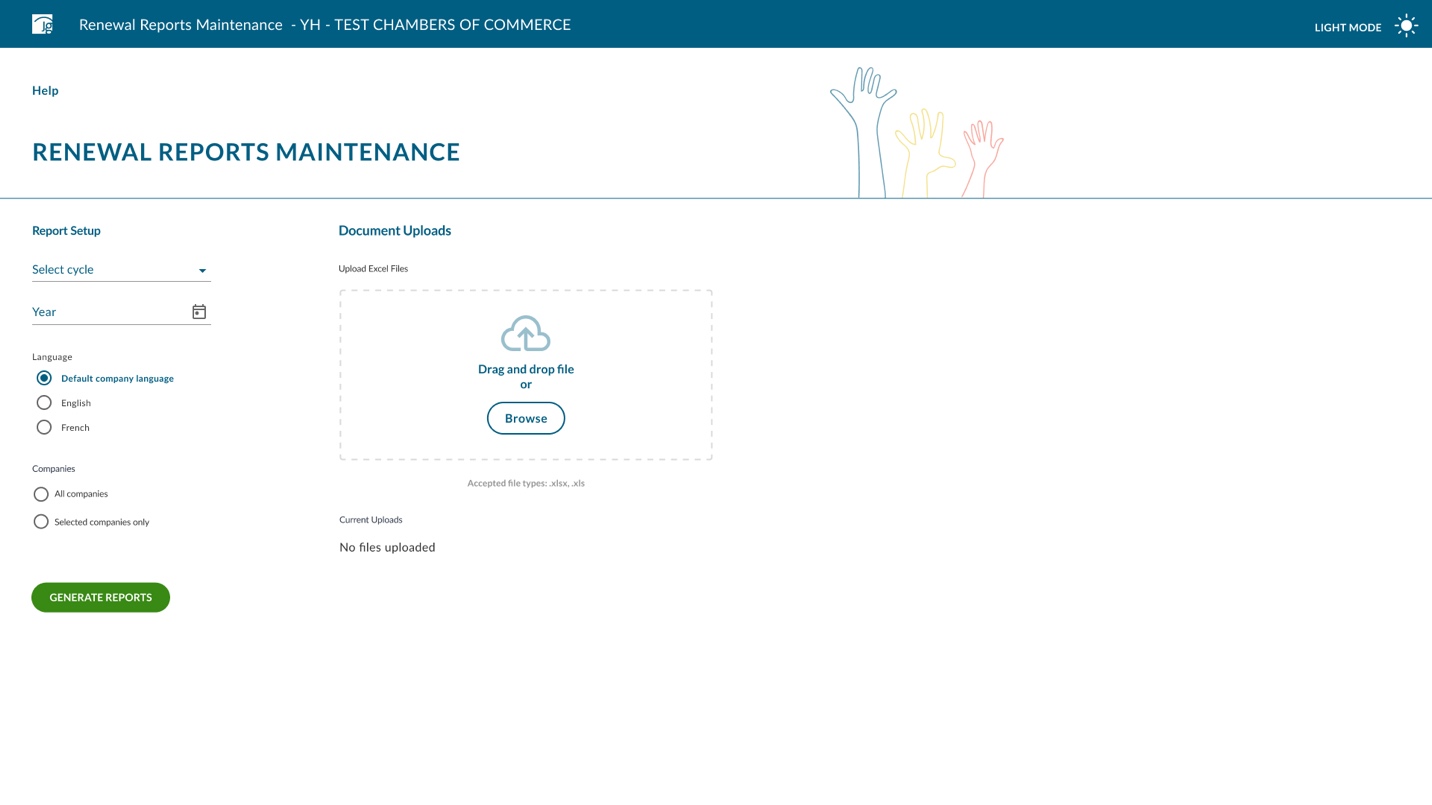
Making recurring document production understandable and self-service.
Business teams coordinated spreadsheets, static marketing pages, and multiple report cycles to produce renewal and claims-experience documents. The existing process depended heavily on technical support and offered limited visibility into required inputs, document state, and recovery when regeneration was needed.
Goals
- Create a clear self-service workflow for preparing and uploading report assets.
- Support generation, regeneration, and repeat yearly report cycles.
- Reduce avoidable dependency on technical teams for routine document production.
- Make required inputs, document state, system feedback, and next actions explicit.
Expectations
- Help business users complete recurring maintenance with less uncertainty and rework.
- Provide a workflow flexible enough for multiple report types and yearly cycles.
- Make cross-team inputs, ownership, and readiness requirements more visible.
- Keep the interface efficient and learnable for infrequent operational use.
Cross-functional business teams responsible for recurring report production.
Primary users included reporting teams preparing data, marketing partners supplying static pages, and business users responsible for generating advisor-facing documents. Because the workflow occurred at specific points in the year, the interface needed to remain understandable even for users returning after long gaps.
MVP Strategy
The MVP focused on the essential path from asset preparation and upload to generation and regeneration. Prioritizing this core loop reduced scope, exposed the most important system states, and created a foundation for later document-management capabilities.
Data-Driven Decisions
Design decisions reflected the annual release cadence and repeated handoffs among reporting, marketing, business, and technical teams. I emphasized prerequisites, asset readiness, generation status, and recovery actions. This information was critical to completing the process correctly without relying on memory or specialist support.
The challenge
- Multiple report types, release cycles, and asset combinations
- Cross-team dependencies with unclear readiness and ownership
- Routine generation and regeneration dependent on technical support
- Need for explicit upload, validation, generation, and error states
Strategic contributions
- Mapped the end-to-end service and task flow to clarify ownership, prerequisites, user actions, system states, exceptions, and decision points.
- Created wireframes and high-fidelity flows that progressively clarified upload, validation, generation, regeneration, and recovery behaviour.
- Defined content hierarchy and system feedback that made document inputs, readiness, progress, and outcomes easier to interpret.
- Focused the product strategy on self-service, enabling business users to complete routine report production while reserving technical support for true exceptions.
Design rationale
I prioritized recognition over recall through a clear task sequence, visible document context, explicit prerequisites, and timely system feedback. Because the workflow was periodic rather than daily, the interface needed to help returning users re-establish context without retraining.
Collaboration and influence
I used task flows and prototypes as boundary objects across reporting, marketing, business, and engineering. Making inputs, states, ownership, and exceptions visible helped resolve assumptions early and align the group on the simplest viable self-service workflow.
The experience needed to give business users clear control over a process that had previously depended on technical knowledge and support.
The flow therefore prioritizes prerequisites, visible report context, clear upload feedback, and predictable generation and regeneration behaviour.
Design Process
The solution evolved from cross-team workflow mapping and state definition to structural wireframes, high-fidelity validation, and a production-ready interface.
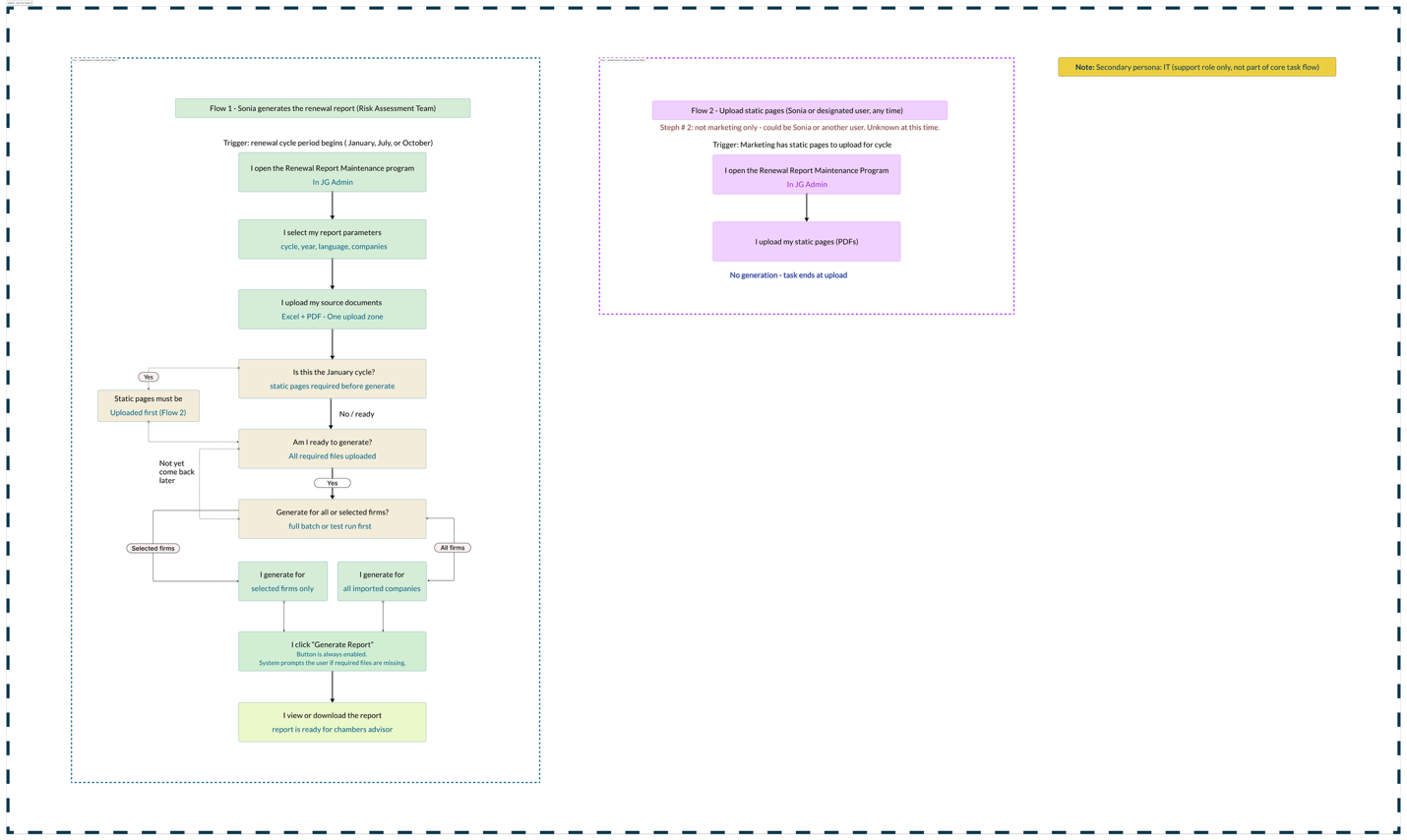
User Task Flow
Mapped roles, prerequisites, user actions, system responses, exceptions, and decision points before committing to screen-level solutions.
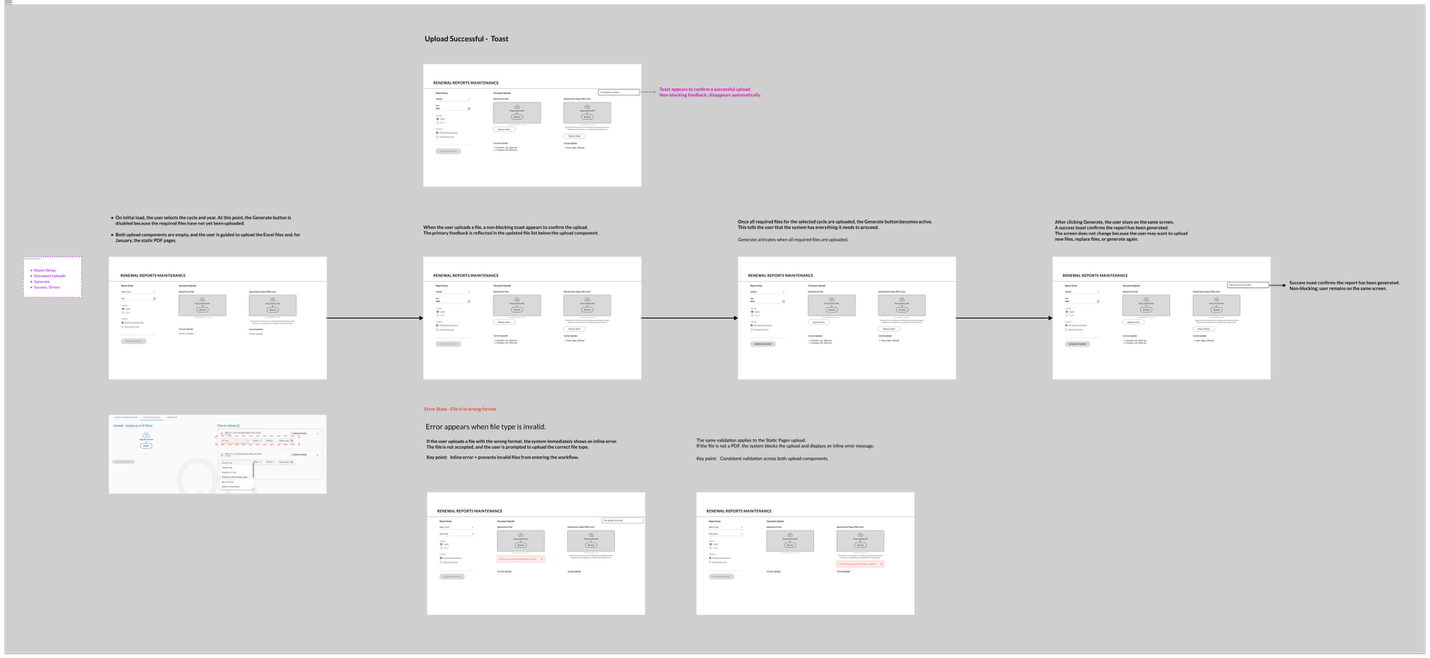
Wireframes
Explored content hierarchy, task sequence, system feedback, and recovery actions before introducing visual detail.
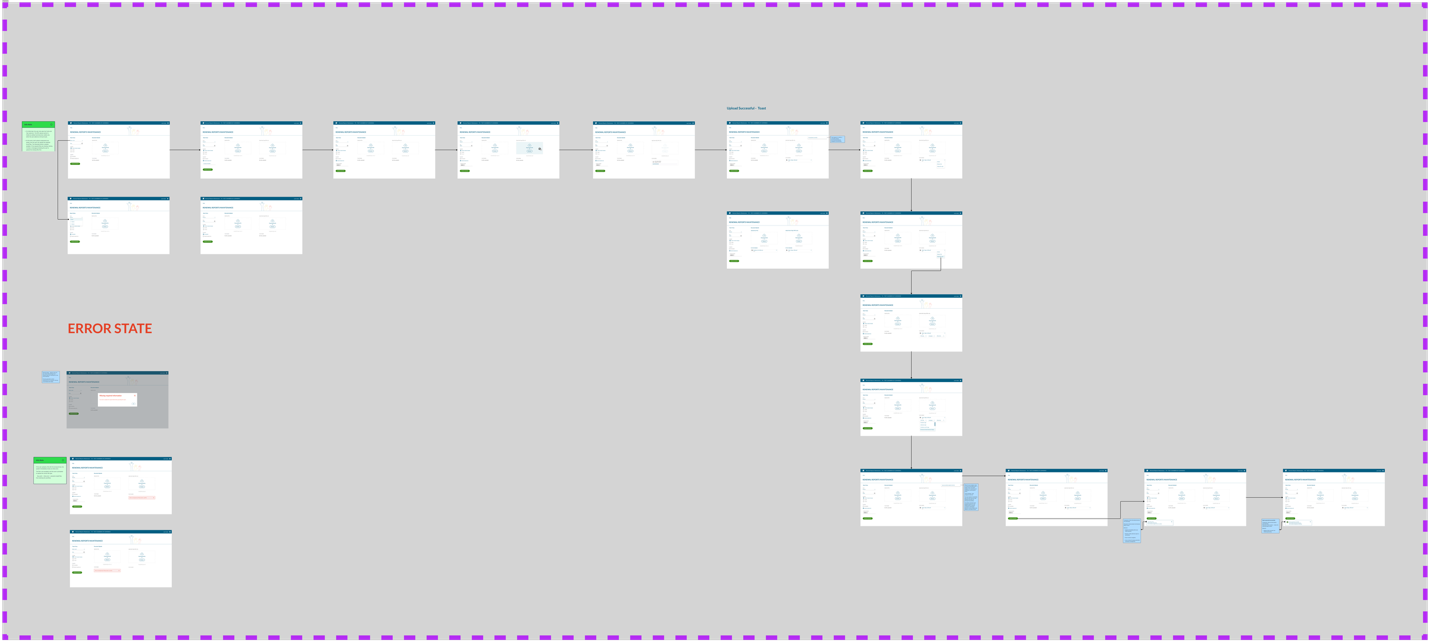
High-Fidelity Mockup Flow
Connected key screens and states into a realistic prototype so stakeholders could review behaviour, edge cases, and handoff expectations in context.
Final Production UI
Refined the approved workflow into a production-ready interface with clearer prerequisites, document context, system status, and self-service actions.
A clearer operating model for recurring document production.
The proposed experience made prerequisites, ownership, document state, and next actions visible in one workflow. It reduced reliance on procedural memory and established a clearer self-service model for recurring report production across teams.
How success would be measured
Post-launch analytics were not yet available when I transitioned from the project, so these outcomes represent validated design intent rather than claimed production impact. Success should be evaluated through:
- Support requests and escalations related to generation, regeneration, or missing inputs
- Cycle time from asset readiness to a successfully generated document package
- Self-service completion rate, including successful recovery from validation or generation errors